Evyx / AI models / Image to Video
Image to video: make a photo move
Upload a picture, describe the motion in a sentence and choose the length. Your photo becomes the first frame, so the product, the place and the people in the clip are the ones you shot.
Models and prices
| Model | Length | Quality and formats | Frames | Price |
|---|---|---|---|---|
| Kling 4.0 | 3–30 s | 720p, 1080p · 16:9, 9:16, 1:1, 21:9 · sound | First and last frame | 86–1,275 Moons (about 29 per second at 720p, 43 at 1080p) |
| Veo 3.1 Fast | 8 s | 16:9, 9:16 | First and last frame | 80 Moons |
| Seedance 2.5 | 4–30 s | 480p, 720p, 1080p · 16:9, 9:16, 1:1, 4:3, 3:4, 21:9 · optional sound | First and last frame | 42–1,707 Moons (about 10 per second at 480p, 23 at 720p, 57 at 1080p) |
How it works
- Upload a photo
It becomes the first frame. Add a second photo as the last frame if the clip should end on a specific shot.
- Describe the motion
Who or what moves, and how the camera behaves: “waves roll in, slow push-in towards the lighthouse”. Pick length, quality and format; the price updates as you go.
- Generate and download
Wait for the render, then download the clip or run it again with a tweaked prompt.
Photos that make good clips
Product turntable
“The bottle slowly turns, studio light sweeps across the glass.” Kling 4.0, 5 s, 720p: 143 Moons.
Landscape for a website header
“Clouds drift, grass moves in the wind, slow push-in.” Veo 3.1 Fast, 8 s, 16:9: 80 Moons.
Vertical portrait for Reels
“She turns to the camera and smiles, hair moves in the wind.” Seedance 2.5, 5 s, 720p, 9:16: 116 Moons.
Before and after
Use the “before” photo as the first frame and the “after” photo as the last one; the model fills in the transition. Works for renovations, makeovers and product reveals.
Try it on stock images
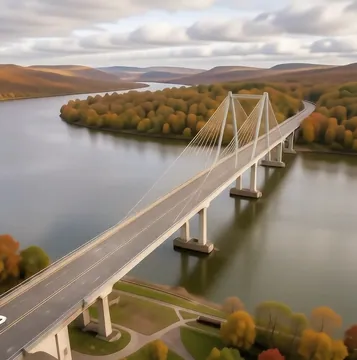
All river images →Pick a stock photo and animate it — it opens in the video generator, already loaded.







Why Evyx
All top AI models in one account — video, images, voice, music and chat.
One balance, pay per result. Top-ups from $5, bought Moons never expire.
Price is shown before every run. Commercial rights to your results.
FAQ
How much does it cost to turn an image into a video?
Seedance 2.5 starts at 42 Moons for 4 seconds at 480p. Veo 3.1 Fast is 80 Moons for 8 seconds. Kling 4.0 starts at 86 Moons for 3 seconds at 720p. The exact price for your length and quality is shown before you run, and you get 20 free Moons at signup.
How long can the video be?
Up to 30 seconds with Kling 4.0 and Seedance 2.5. Veo 3.1 Fast always makes 8-second clips.
Can I make vertical videos for TikTok, Reels or Shorts?
Yes. All three models support 9:16.
Will the video have sound?
Kling 4.0 and Seedance 2.5 can add sound; in Seedance it is a switch you turn on. For a separate soundtrack, run the finished clip through Video to Audio.
Can I set the last frame too?
Yes. Kling 4.0, Veo 3.1 Fast and Seedance 2.5 all accept a first and a last frame, so you control where the clip starts and where it ends.
Why does a face or a label change during the clip?
Motion models redraw every frame, and fast movement gives them more room to drift. Shorter clips, calmer motion and a clear description of what must stay the same keep the result closer to your photo.
Can I use the clips commercially?
Yes. You keep commercial rights to the videos you create, as long as you have the rights to the photo you animate.