Evyx / AI models / Image Upscaler
AI image upscaler: make a small photo big enough to use
Upload a JPG, PNG or WebP and choose how much larger it should be. Three upscalers sit behind one account: one leaves text on packaging untouched, one rebuilds skin and fabric texture, one simply sharpens for 1 Moon.
Models and prices
| Model | Scale | Input | Best for | Price |
|---|---|---|---|---|
| Photo Upscale | 2x, 4x, 8x | JPG, PNG, WebP, GIF up to 20 MB | Product shots with labels, screenshots, anything with text | 4 Moons (2x) · 12 Moons (4x, 8x) |
| Topaz | 2x, 4x | JPG, PNG, WebP up to 10 MB | Portraits, old or soft photos that need detail back | 10 Moons (2x) · 20 Moons (4x) |
| Recraft Crisp | fixed | JPG, PNG, WebP up to 10 MB | A quick, cheap sharpen for web images | 1 Moon |
How it works
- Upload the photo
Drop in one image. Photo Upscale takes files up to 20 MB, Topaz and Recraft Crisp up to 10 MB.
- Pick the upscaler and the factor
Choose 2x, 4x or 8x. The price in Moons appears on the button before anything runs.
- Download and compare
Check the result at 100%. If a face looks waxy, run Topaz; if letters warped, use Photo Upscale, which keeps text as it is.
What people upscale
A phone photo for a marketplace listing
1200 px wide → 4800 px with Photo Upscale 4x for 12 Moons. The brand name on the box stays as printed, so the listing still matches the real product.
A 1024 px AI image for print
Photo Upscale 4x turns a 1024 px square into 4096 px — about 34 cm per side at 300 dpi, enough for a poster or a framed print.
A scanned photo from a family album
Topaz 2x for 10 Moons brings back texture in hair, fabric and skin that a plain resize would smear.
Blog and newsletter images that look soft
Recraft Crisp for 1 Moon: a bit larger and noticeably sharper, nothing redrawn.
Try it on stock images
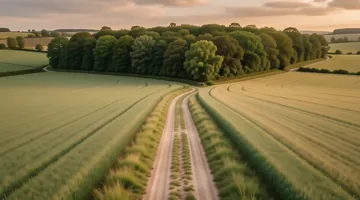
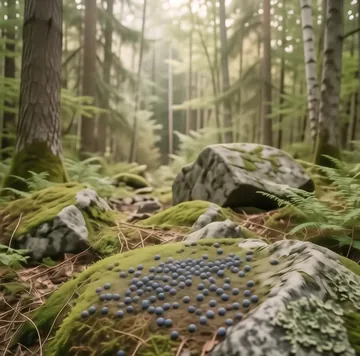
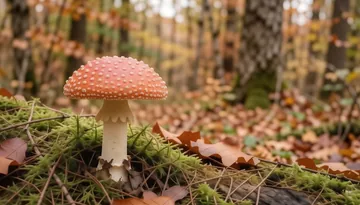
All landscape images →Pick a photo from the Evyx stock — it opens in the upscaler, already loaded.

Why Evyx
All top AI models in one account — video, images, voice, music and chat.
One balance, pay per result. Top-ups from $5, bought Moons never expire.
Price is shown before every run. Commercial rights to your results.
FAQ
How much does it cost to upscale an image?
From 1 Moon. Recraft Crisp costs 1 Moon, Photo Upscale 4 Moons for 2x and 12 Moons for 4x or 8x, Topaz 10 Moons for 2x and 20 Moons for 4x. You get 20 free Moons at signup, and the exact price is shown before every run.
Which upscaler should I choose?
Photo Upscale when the image has text or logos you need to keep exactly, or when you need 8x. Topaz for people, old photos and anything where texture matters. Recraft Crisp when you only need a cleaner, slightly larger web image.
How big can the result be?
Photo Upscale goes up to 8x, with the output capped at 16,384 px per side and about 67 megapixels. If a request would go past that, it is refused before any Moons are charged — pick a smaller factor.
Will the upscaler change faces or text?
Photo Upscale and Recraft Crisp enlarge without redrawing content. Topaz restores detail, so fine texture such as pores or fabric weave is partly generated and can differ slightly from the original.
Which file formats are supported?
JPG, PNG and WebP for all three upscalers, plus GIF for Photo Upscale. One image per run.
Can I use upscaled images commercially?
Yes. You keep commercial rights to the images you create on Evyx, as long as you have the rights to the photo you uploaded.
Can I upscale a video too?
Yes, with a separate tool: AI Video Upscale on Evyx works on clips instead of stills.